
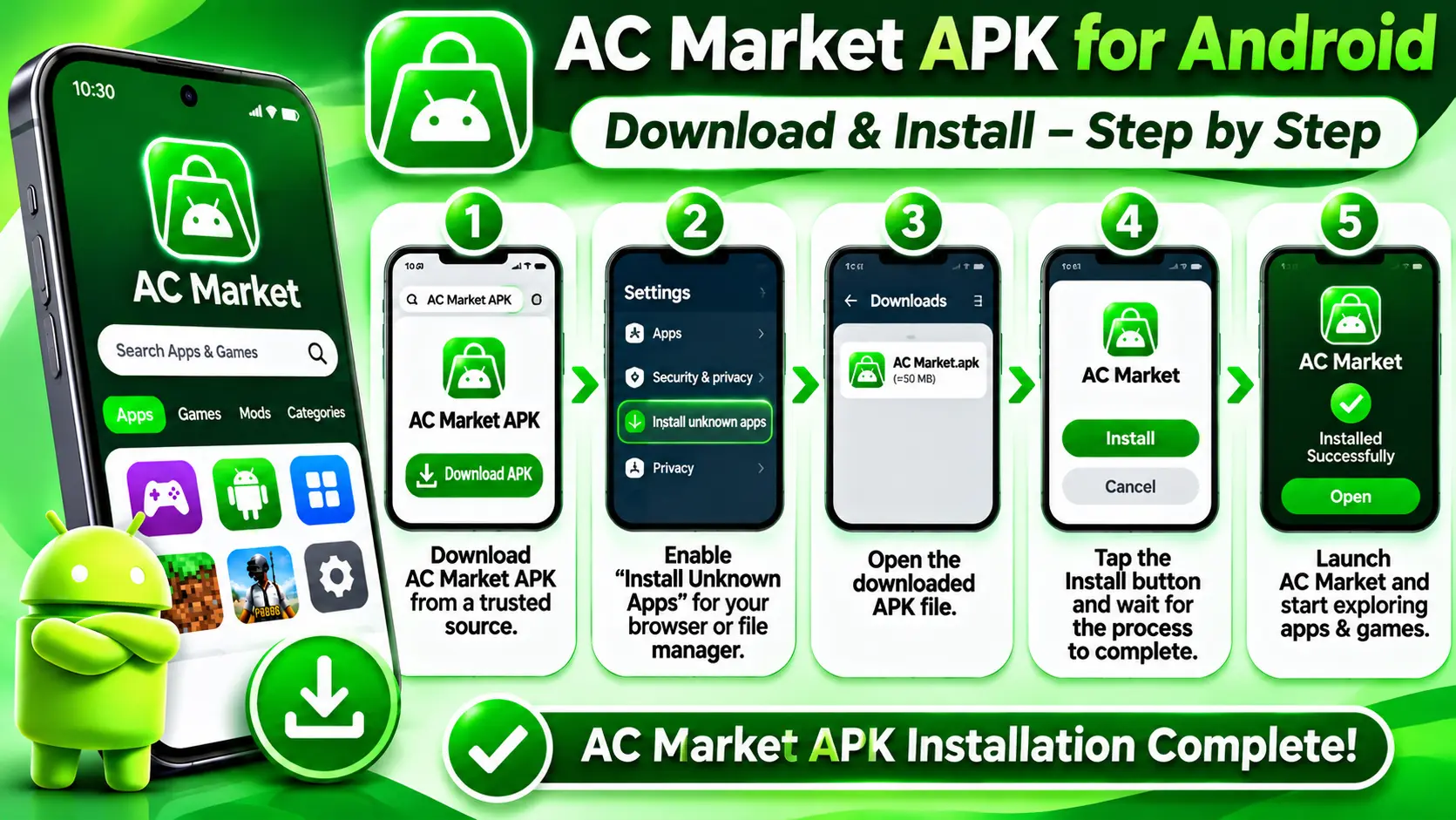
AC Market APK for Android – Download, Compatibility & Installation Guide
AC Market APK for Android is a frequently searched term among users interested in exploring alternative application marketplaces. Android devices support APK files, which allow users to install applications outside traditional app stores. However, before downloading or installing any third-party application, it is important to understand device compatibility, security requirements, and the installation process.
Many users want to know whether AC Market works on Android smartphones and tablets, how to check its compatibility, and what precautions they should take before installing an APK file. Understanding these details can help you avoid common installation problems and make better decisions about third-party applications.
In this guide, we will explore AC Market APK for Android, its general functionality, device compatibility, download considerations, installation steps, security precautions, and common problems.
What Is AC Market APK for Android?
AC Market is commonly described as a third-party Android application marketplace. It is associated with users who want to explore alternative application distribution platforms outside the Google Play Store.
The term AC Market APK refers to the Android installation package associated with the application. APK stands for Android Package Kit, the standard format used to distribute and install Android applications.
Unlike applications downloaded directly from Google Play Store, third-party APK files may be distributed through independent websites. This means users need to pay particular attention to the authenticity and security of the file.
AC Market is primarily associated with Android devices because APK files are designed for the Android operating system. However, compatibility depends on the specific application release, device architecture, and Android version.
AC Market Android App: Main Purpose
The AC Market Android app is associated with alternative application discovery and marketplace browsing.
Users researching this application may be interested in several areas:
- Exploring alternative application marketplaces.
- Understanding Android APK distribution.
- Learning about available application categories.
- Checking application version information.
- Exploring third-party software distribution.
- Understanding APK installation requirements.
The actual features and available services depend on the version being distributed. Users should verify application functionality rather than relying on unsupported promotional claims.
AC Market APK for Android: Important Features to Understand
When researching an alternative Android marketplace, users should consider several important functionality areas.
1. Application Discovery
Application discovery is one of the main purposes of an app marketplace. A marketplace interface can help users explore different software listings and learn about available applications.
Before installing anything, users should check the application description, publisher information, and requested permissions.
2. Application Categories
Organized categories can make it easier to explore different types of software.
Depending on the available marketplace listings, users may encounter categories such as:
- Entertainment applications
- Android games
- Productivity tools
- Utility applications
- Multimedia software
- Personalization tools
The availability of these categories should be verified in the actual application.
3. Application Information
Application information is important when deciding whether to install software.
Useful details include the application name, version number, developer, file size, Android compatibility, and permissions.
Users should avoid installing applications that do not provide sufficient information about their publisher or functionality.
4. Android Compatibility
Compatibility determines whether an application can operate properly on a particular Android device.
An APK may work on one smartphone but fail on another because of differences in Android versions, processor architecture, or security settings.
5. APK Installation Support
Android supports APK installation, but applications obtained outside official stores may require additional permission from the device owner.
This permission should only be considered when the APK source is trustworthy.
AC Market APK Compatibility with Android Devices
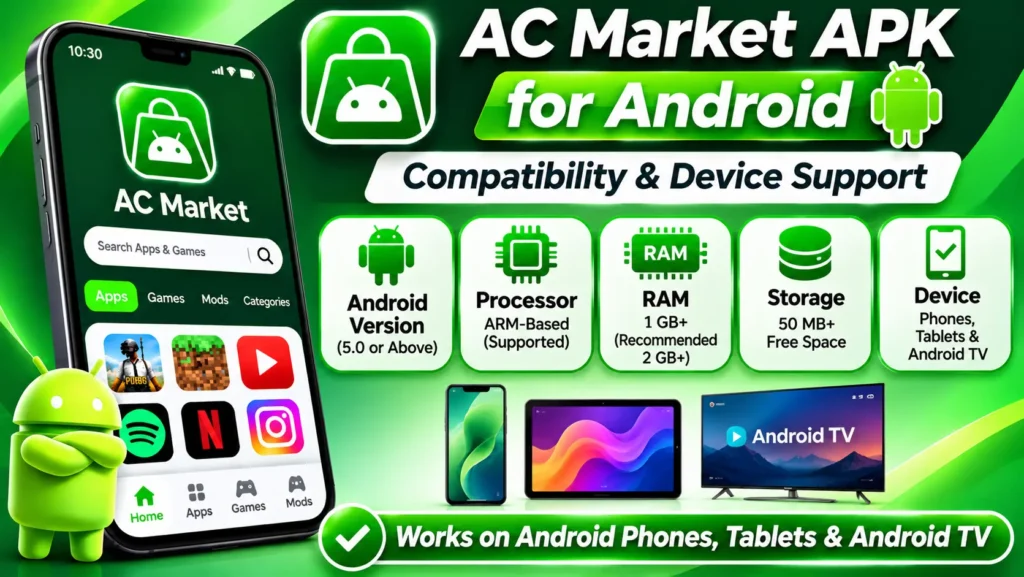
Not every Android device supports every APK file. Before considering AC Market APK for Android, users should check the technical compatibility of their devices.
Here are the main factors to consider.
Android Operating System Version
The Android version installed on your device can affect application compatibility.
Older Android devices may not support newer application packages, while some older APK releases may lack compatibility with modern Android versions.
Always check the minimum Android requirement provided by a reliable release source.
Processor Architecture
Android devices use different processor architectures, including ARM-based configurations.
An APK package may be designed for a specific architecture. If the package does not support your device, installation or operation may fail.
Available Storage
Your smartphone or tablet should have sufficient free storage for the downloaded APK and its installation files.
Low storage can cause installation errors or prevent the device from completing the process.
RAM and Device Performance
Available memory can influence how applications operate.
However, the exact RAM requirements for AC Market should be confirmed through reliable technical documentation rather than assumed.
Android Security Settings
Modern Android versions include security protections that restrict installations from unknown sources.
These protections help users avoid potentially harmful applications and should remain enabled whenever possible.
How to Download AC Market APK on Android
If you are researching AC Market APK download options, the most important step is finding a trustworthy source.
A website displaying the AC Market name does not automatically prove that its APK file is authentic.
Before downloading, follow these precautions:
- Identify a distribution source that can be independently verified.
- Check the application name and publisher information.
- Review the available version number and release details.
- Confirm Android compatibility.
- Check whether the download page contains misleading advertisements.
- Scan the APK file using reputable security software.
Avoid downloading files from websites that provide no reliable information about the application or its developer.
If you want a complete download walkthrough, read our main guide: AC Market APK Download – Latest Version, Installation & Setup Guide.
How to Install AC Market APK on Android
Installing an APK file on Android involves a different process from installing an application through Google Play Store.
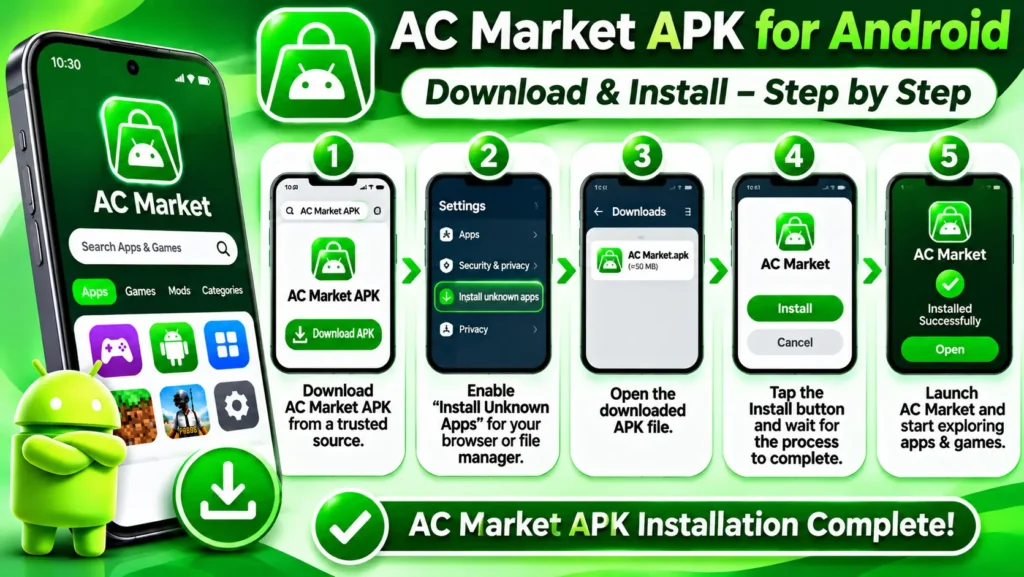
The general process includes the following steps.
Step 1: Locate the APK File
After obtaining an APK from a trustworthy source, open your Android file manager and locate the downloaded file.
Check its filename and file information before opening it.
Step 2: Verify the Downloaded File
Scan the APK using reputable security software.
Do not proceed if your device identifies a potential threat or if the file appears suspicious.
Step 3: Review Installation Permissions
Android may ask you to authorize installation from a particular browser or file manager.
Only consider granting this permission when you trust the source and understand the risks.
Step 4: Open the APK
If the file passes your security checks and is compatible with your device, open it to view the installation screen.
Step 5: Review Application Information
Check the application name and requested permissions before proceeding.
Do not automatically approve permissions that appear unnecessary.
Step 6: Complete the Installation
Proceed only when you are satisfied with the file’s authenticity and security information.
If Android displays a warning, investigate it instead of automatically bypassing the protection.
Is AC Market APK Safe for Android?
Safety is one of the most important considerations when using third-party APK files.
Unlike official application stores, independent distribution websites may not provide consistent publisher verification or security checks.
Potential risks include:
- Modified or repackaged APK files.
- Malware and unwanted software.
- Excessive application permissions.
- Privacy and data collection concerns.
- Outdated application components.
- Misleading advertisements and download links.
To reduce potential risks, consider the following precautions:
- Download only from independently verified sources.
- Scan APK files before installation.
- Review application permissions.
- Keep Android security updates enabled.
- Avoid modified files from unknown publishers.
- Uninstall applications that behave suspiciously.
Google Play Protect can help identify certain harmful applications, but no security tool guarantees complete protection.
Common AC Market APK Problems on Android
Android users may experience different problems when downloading or installing third-party applications.
Here are some common issues and possible explanations.
AC Market APK Not Installing
Installation may fail because of an incompatible Android version, corrupted APK file, insufficient storage, or package conflicts.
Check the file’s authenticity and compatibility before trying again.
AC Market APK Not Opening
An application may fail to open because of software conflicts, an incomplete installation, or compatibility problems.
Restarting the device and reviewing the application information may help identify the issue.
AC Market APK Download Failed
A failed download may result from an unstable internet connection, browser restrictions, or an unavailable hosting server.
Check your connection and avoid suspicious replacement download links.
AC Market APK Keeps Crashing
Repeated crashes may indicate an unstable application version or compatibility issue.
Stop using the application if it behaves unexpectedly and investigate its source.
For more troubleshooting information, visit our dedicated guide: AC Market APK Download Problems and Solutions.
AC Market APK vs Google Play Store on Android
Android users have different options when choosing where to obtain applications.
Google Play Store is Google’s official application distribution platform, whereas AC Market is associated with independent third-party distribution.
| Feature | AC Market | Google Play Store |
|---|---|---|
| Platform | Third-party marketplace | Official Google marketplace |
| Distribution | Independent sources | Google distribution system |
| App Verification | Depends on source | Google Play security systems |
| Updates | Depends on provider | Integrated update support |
| Security | Requires independent checks | Play Protect and other protections |
| Android Integration | Depends on implementation | Integrated Android ecosystem |
For most Android users, Google Play Store is the recommended option because of its established application distribution system and integrated security features.
Frequently Asked Questions
1. Is AC Market APK Designed for Android?
AC Market is primarily associated with Android APK distribution. Whether a specific release works depends on its compatibility and authenticity.
2. Can I Install AC Market on an Android Phone?
Android supports APK installation, but users should first verify the file source, compatibility, and security information.
3. Does AC Market APK Work on All Android Versions?
No. Different releases may have different Android requirements. Check the minimum supported version before installation.
4. Is AC Market APK Free?
Availability and pricing depend on the distribution source. Verify any payment requirements and avoid misleading download offers.
5. Why Is AC Market APK Not Working on My Android Device?
Possible reasons include compatibility problems, corrupted installation files, insufficient storage, or software conflicts.
6. Do I Need to Enable Unknown Sources?
Android may require permission for a specific application to install APK files from outside the official store. Only grant this permission when necessary and when you trust the source.
7. Can I Update AC Market APK on Android?
An update should only be considered when a genuine, compatible release is available from a trustworthy source.
8. Is AC Market APK Better Than Google Play Store?
They are different distribution options. Google Play Store generally provides a more established security and application management environment.
Final Thoughts
AC Market APK for Android is a search topic for users interested in alternative application marketplaces and Android APK distribution.
Before considering this application, it is important to understand its compatibility, installation requirements, available functionality, and potential security risks.
Android supports APK installation, but that does not mean every third-party APK is safe or compatible with every device. Always verify the source, review permissions, and use reputable security tools before installing an application.
For most users, official application stores remain the preferred option for obtaining verified Android applications. If you explore third-party marketplaces, make security and compatibility your priorities.