
Android users have several options when it comes to discovering and downloading mobile applications. Google Play Store is the official application marketplace for most Android devices, while AC Market is an alternative Android application marketplace that attracts users interested in exploring different apps and games.
Many users search for AC Market APK vs Google Play Store because they want to understand the differences between these platforms. Both are associated with Android application discovery, but they have different distribution methods, security systems, features, and user experiences.
Choosing the right platform depends on your priorities. Some users prefer official application downloads and integrated security protections, while others are interested in exploring alternative marketplaces.
In this article, we will compare AC Market and Google Play Store, discuss their features, advantages, disadvantages, security considerations, and help you understand which option may be more suitable for your Android device.
What Is AC Market APK?
AC Market is an alternative Android application marketplace that allows users to explore different applications and games.
It is generally associated with third-party APK distribution rather than the official Google Play ecosystem. Users interested in alternative application marketplaces may explore it for its browsing experience and available software collections.
Some important points about AC Market include:
- Alternative application marketplace.
- Application and game discovery.
- Marketplace-style browsing.
- APK-based distribution.
- Availability that depends on the source and application version.
Since AC Market is associated with third-party distribution, users should verify the authenticity and safety of every APK before installation.
What Is Google Play Store?
Google Play Store is the official application marketplace for most Android devices. It provides access to millions of applications, games, books, and other digital content.
It is integrated with Google’s Android ecosystem and provides tools for discovering, installing, updating, and managing applications.
Some important features include:
- Large application and game catalog.
- Automatic application updates.
- Developer profiles and application information.
- User ratings and reviews.
- Google Play Protect security features.
- Parental controls and purchase management.
- Compatibility information for Android devices.
Google Play Store is generally the recommended starting point for downloading everyday Android applications.
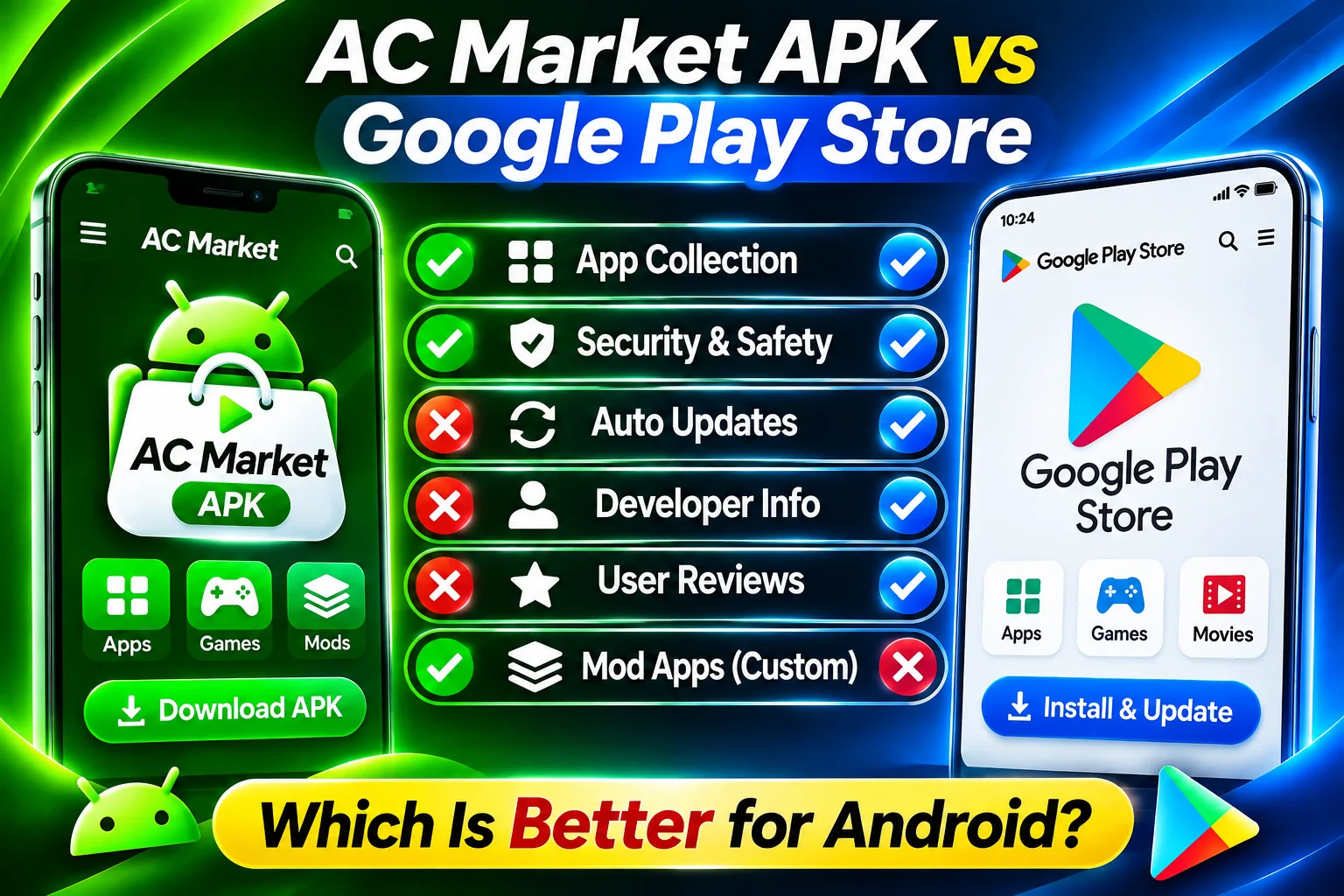
AC Market APK vs Google Play Store: Main Differences
Both platforms provide ways to explore Android applications, but their distribution systems and security approaches are different.
| Comparison | AC Market APK | Google Play Store |
|---|---|---|
| Platform Type | Alternative marketplace | Official Android marketplace |
| Application Discovery | Available marketplace listings | Large app catalog |
| Installation | APK-based distribution | Integrated installation |
| Security | Depends on file source | Google Play Protect |
| Application Updates | Depends on distribution source | Integrated update system |
| Developer Information | Requires verification | Developer profiles |
| User Reviews | Depends on available listings | Ratings and reviews |
| Compatibility | Depends on APK version | Device compatibility checks |
| App Availability | Depends on marketplace catalog | Depends on region and device |
| Recommended For | Alternative app discovery | Everyday Android downloads |
Top Features of AC Market
Here are some features associated with AC Market that users may find interesting.
1. Alternative Application Discovery
AC Market provides another way to explore Android applications outside traditional app-store browsing.
Users interested in alternative marketplaces may find different application categories and listings.
2. Game Exploration
Mobile gaming is an important part of the Android ecosystem. AC Market is associated with exploring different game listings, depending on the available catalog.
3. Simple Browsing Experience
A marketplace-style interface can make it easier to explore available applications and navigate different sections.
The actual interface may vary between application releases.
4. APK-Based Distribution
AC Market is associated with APK installation. This means users may need to handle application files manually.
However, manually installing APK files requires additional attention to security and compatibility.
5. Application Categories
Organized application categories can help users discover software according to their interests.
Available categories and content depend on the particular marketplace version.
Top Features of Google Play Store
Google Play Store provides an established Android application ecosystem with several useful features.
1. Large Application Collection
Google Play Store offers a wide range of applications across entertainment, productivity, education, communication, photography, and gaming.
Users can discover applications for many different purposes.
2. Google Play Protect
Google Play Protect helps identify potentially harmful applications and provides security warnings.
It is an important part of Google’s Android application security ecosystem.
3. Automatic Updates
Users can enable automatic updates to receive available application improvements without manually downloading APK files.
This makes application maintenance more convenient.
4. Ratings and Reviews
Google Play Store provides ratings and user reviews that can help people evaluate applications before installing them.
Users should still consider that reviews are opinions and may not always represent the complete application experience.
5. Developer Information
Application listings generally include developer information, descriptions, screenshots, and other useful details.
This helps users understand an application’s purpose before installation.
6. Easy Installation
Google Play Store provides an integrated installation process.
Users can select an application and install it without manually managing APK files.
Security Comparison: Which Platform Is Safer?
Security is one of the most important factors when comparing AC Market APK vs Google Play Store.
Google Play Store is generally the safer option for everyday Android application downloads because it provides established app distribution processes and Google Play Protect.
AC Market requires additional caution because third-party APK files may come from different sources. A file carrying the AC Market name is not automatically genuine or safe.
Here are some security considerations:
Google Play Store:
- Google Play Protect security features.
- Established application distribution processes.
- Developer information.
- Application compatibility details.
- Integrated update management.
AC Market:
- APK source must be verified.
- Modified files may create security risks.
- Application permissions require careful review.
- Developer authenticity should be checked.
- Older releases may lack important security updates.
No marketplace can guarantee that every application is completely free of security risks. Always review application information before installation.
Advantages and Disadvantages of AC Market
Advantages
- Offers an alternative application discovery experience.
- Provides another marketplace option for Android users.
- Allows users to explore available application categories.
- Uses an APK-based distribution approach.
- May appeal to users interested in alternative app sources.
Disadvantages
- APK authenticity may be difficult to establish.
- Third-party downloads can introduce security risks.
- Application updates depend on the distribution source.
- Developer information may require additional verification.
- Some APK files may have compatibility issues.
Advantages and Disadvantages of Google Play Store
Advantages
- Official application marketplace for most Android devices.
- Large collection of applications and games.
- Integrated application updates.
- Google Play Protect security features.
- Developer profiles and user reviews.
- Convenient application installation.
Disadvantages
- Some applications are unavailable in certain regions.
- Certain applications may not support specific devices.
- Some apps require subscriptions or purchases.
- Not every Android application is listed on the platform.
- Availability depends on Google’s distribution policies.
Which Is Better: AC Market or Google Play Store?
The answer depends on what you are looking for.
If you prioritize official application distribution, convenient updates, developer information, and integrated security features, Google Play Store is generally the better choice.
If you are interested in exploring an alternative Android application marketplace, AC Market may be a platform you want to learn about. However, you should carefully verify every APK file before installation.
For most Android users, Google Play Store is the recommended option for everyday application downloads.
Tips for Safe Android Application Downloads
Regardless of which marketplace you explore, following basic security practices is important.
- Download applications from trustworthy sources.
- Check developer and publisher information.
- Review application permissions.
- Keep Android and applications updated.
- Scan third-party APK files using reputable security software.
- Avoid modified or suspicious installation files.
- Never ignore Android security warnings.
- Do not provide sensitive information to unfamiliar applications.
These precautions can help reduce the risks associated with downloading Android software.
Frequently Asked Questions (FAQs)
1. What Is the Main Difference Between AC Market and Google Play Store?
AC Market is an alternative Android application marketplace, while Google Play Store is the official marketplace for most Android devices. Their distribution methods, security systems, and application catalogs are different.
2. Is AC Market Better Than Google Play Store?
Not necessarily. Google Play Store is generally better for official application downloads, security features, and automatic updates. AC Market offers an alternative marketplace experience.
3. Which Platform Is Safer for Android Users?
Google Play Store is generally the safer starting point because of its established distribution and security systems, including Google Play Protect.
4. Can I Use AC Market and Google Play Store on the Same Phone?
They are different application distribution platforms. Whether AC Market can be installed alongside other applications depends on the authenticity and compatibility of its APK file.
5. Does Google Play Store Support Automatic Updates?
Yes. Google Play Store allows users to enable automatic updates for supported applications.
6. Does AC Market Require Manual APK Installation?
AC Market is associated with APK-based distribution. Installation methods depend on the particular release and source.
7. Are Applications From AC Market Always Safe?
No. Safety depends on the authenticity of the application, its source, permissions, and whether the file has been modified. Users should verify APK files before installation.
8. Which Platform Is Better for Beginners?
Google Play Store is generally more suitable for beginners because it provides an integrated installation experience, application information, and security features.
Final Thoughts
The comparison of AC Market APK vs Google Play Store shows that both platforms have different purposes in the Android application ecosystem.
AC Market offers an alternative marketplace experience for users interested in exploring different applications and games. However, third-party APK distribution requires additional attention to file authenticity, compatibility, and security.
Google Play Store provides a more established application distribution system with integrated updates, developer information, user reviews, and Google Play Protect.
If your main priority is convenience and security, Google Play Store is generally the recommended option. Always research application sources carefully and protect your Android device before installing third-party software.
At AC Market, our goal is to provide helpful Android application comparisons, features, and guides so readers can understand their options and make informed decisions.